ShoreTel Communicator2.0.20.101
Publisher Description
*** The application requires ShoreTel 11 release or later. Your administrator must provide you with account information to use the application. Please read through the requirements section below ***
By using this application you agree with the terms of the accompanying end user license agreement (EULA).
With ShoreTel Communicator you can be reachable, anytime, anywhere and take full advantage of your ShoreTel UC system to stay connected to your colleagues and customers.
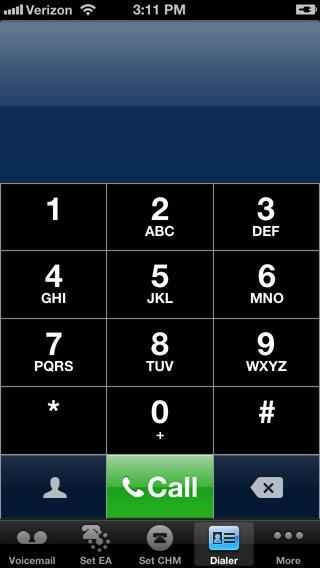
ShoreTel Communicator lets you place and receive calls on your iPhone through your ShoreTel UC system and phone network.
Major Features:
Hide your iPhone number when calling out
Dial your iPhone contacts
View, listen and call back from your ShoreTel voicemail box
Access and call back from your call history
Set your presence and preferred call handling mode
Assign your ShoreTel extension to your iPhone
Save money on international calls through the business communication infrastructure
Supported language: English (US)
Requirements
-ShoreTel 11 release or later
-VPN or Reverse Proxy Access (Configuration details can be found in the ShoreTel 11 Product Installation Guide)
Requires iOS 6.0 or later. Compatible with iPhone, iPad, and iPod touch.
About ShoreTel Communicator
The company that develops ShoreTel Communicator is ShoreTel, Inc.. The latest version released by its developer is 2.0.20.101. This app was rated by 1 users of our site and has an average rating of 4.0.
To install ShoreTel Communicator on your iOS device, just click the green Continue To App button above to start the installation process. The app is listed on our website since 2010-07-14 and was downloaded 58 times. We have already checked if the download link is safe, however for your own protection we recommend that you scan the downloaded app with your antivirus. Your antivirus may detect the ShoreTel Communicator as malware if the download link is broken.
How to install ShoreTel Communicator on your iOS device:
- Click on the Continue To App button on our website. This will redirect you to the App Store.
- Once the ShoreTel Communicator is shown in the iTunes listing of your iOS device, you can start its download and installation. Tap on the GET button to the right of the app to start downloading it.
- If you are not logged-in the iOS appstore app, you'll be prompted for your your Apple ID and/or password.
- After ShoreTel Communicator is downloaded, you'll see an INSTALL button to the right. Tap on it to start the actual installation of the iOS app.
- Once installation is finished you can tap on the OPEN button to start it. Its icon will also be added to your device home screen.
